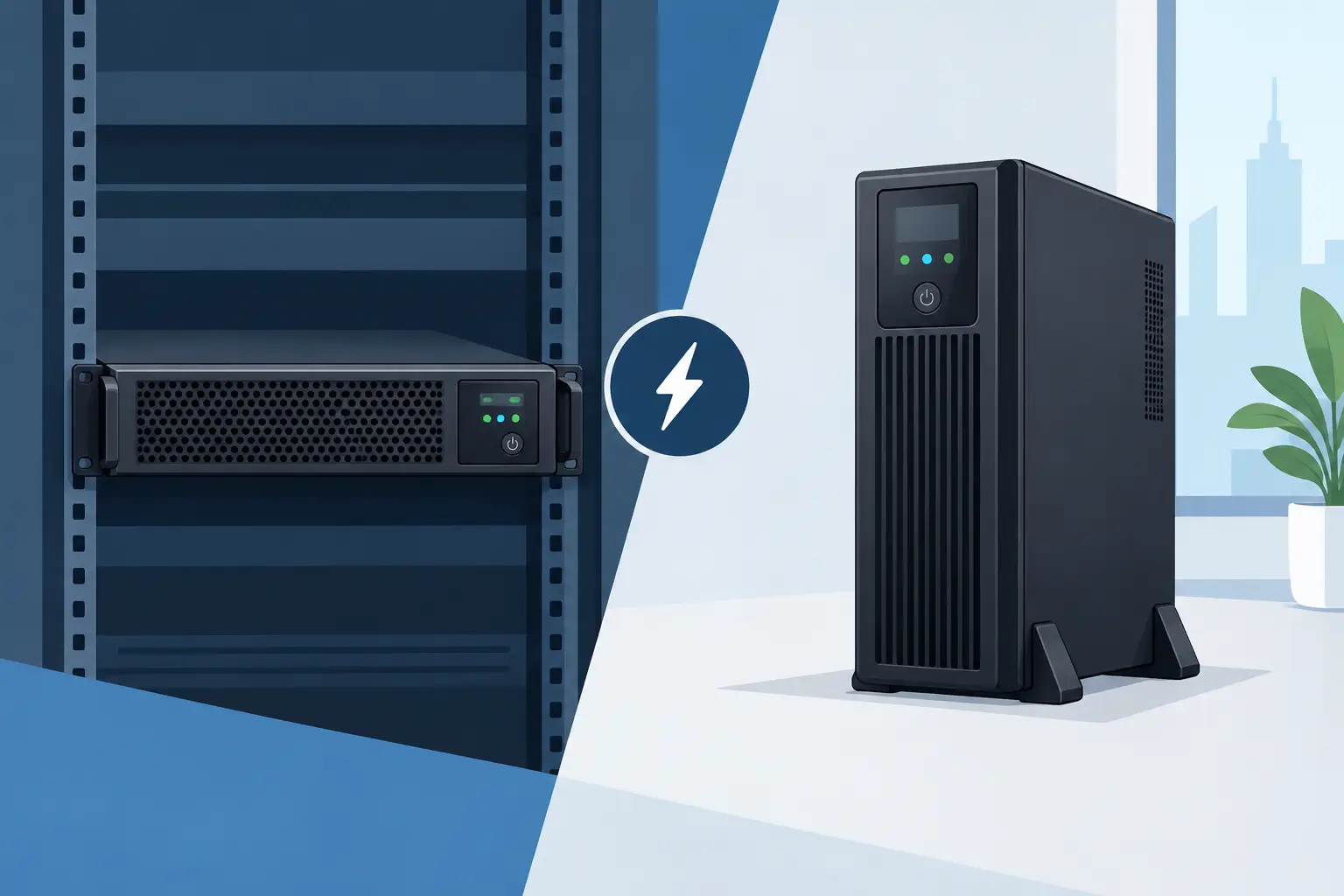

A power failure rarely arrives at a convenient time. It can interrupt a finance system during month-end processing, shut down network access for an entire floor, or leave a server room recovering from an uncontrolled shutdown. When comparing rack UPS versus tower UPS, the right choice is not simply about physical shape. It is about protecting the equipment, people and business processes that depend on continuous power.
For organisations in Qatar, the decision should start with the environment being protected: a structured server rack, a growing IT room, a branch office, a retail site or a distributed group of workstations. Both formats can provide dependable battery backup and power conditioning. Their practical value, however, differs considerably once space, load, runtime, management and future expansion are considered.
Rack UPS versus tower UPS: the core difference
A rack UPS is designed to mount inside a standard 19-inch equipment rack. It sits alongside servers, storage, switches, firewalls and patch panels, typically in a 1U, 2U or 3U chassis. This creates an orderly, centralised power-protection design that is particularly suitable for server rooms, network cabinets and data centre environments.
A tower UPS stands vertically on the floor, under a desk or beside equipment. It is usually easier to deploy where no rack exists, such as a small office, reception area, point-of-sale location or standalone communications cabinet. Many tower models can also be installed in compact IT spaces where adding a full rack would be unnecessary expense.
Neither format is inherently better. A rack-mounted UPS can be the most sensible answer for a modest network cabinet, while a high-capacity tower UPS may be the better fit for a site with limited rack space but substantial electrical demand. The requirement should determine the form factor, not the other way round.
When a rack UPS is the stronger business choice
Rack UPS systems are often selected when IT equipment is already organised in a cabinet or rack. Placing the UPS close to the protected devices reduces clutter, improves cable management and gives IT teams a clearer view of the whole infrastructure. Instead of power leads crossing the floor, servers and network equipment can be connected in a controlled, maintainable installation.
This format is particularly effective for Dell PowerEdge servers, storage arrays, core switches, firewalls and other rack-mounted infrastructure. A properly sized rack UPS can support an orderly shutdown during an extended outage, or keep systems running long enough for a generator to take over. With compatible network management, authorised staff can monitor battery condition, load levels, alarms and shutdown events remotely.
Rack UPS units also support scalable planning. As a business adds servers, storage or network equipment, the power design can be reviewed as part of the wider rack layout. This is valuable for organisations building a future-ready server room rather than reacting to individual equipment purchases.
There are trade-offs. Rack space is valuable, particularly in smaller cabinets. A UPS with external battery modules may consume several rack units, and a heavy unit must be installed securely at the appropriate position in the rack. Cooling and airflow also need attention. The rack should not become a collection of equipment with no allowance for heat, service access or cable routing.
Best applications for rack-mounted UPS systems
Rack UPS systems are generally well suited to central server rooms, network racks serving multiple users, security and access-control infrastructure, communications cabinets, and organisations that need central monitoring across several protected devices. They make the most sense where structured infrastructure and controlled maintenance are already priorities.
When a tower UPS makes more sense
Tower UPS units are practical when power protection is needed at the edge of the business rather than within a central rack. A small office may need to protect a desktop, monitor, router and VoIP phone. A branch location may require backup power for a standalone workstation and network gateway. In these situations, a tower UPS can deliver the required protection without the cost or physical commitment of installing rack infrastructure.
They are also useful for equipment that does not naturally belong in a rack, including some workstations, CCTV systems, laboratory devices, retail terminals and office communications equipment. The installation is typically straightforward, and units can be moved more easily if an office layout changes.
A tower format does require discipline. It should be positioned where ventilation is not blocked, cables are protected from accidental disconnection, and staff will not use it as a shelf or switch it off without authorisation. In busy offices, a floor-standing UPS can be more exposed to accidental damage than a unit secured inside a lockable rack.
For larger loads, tower models can offer significant capacity and extended runtime through external battery packs. Their physical footprint, however, must be planned carefully. A high-capacity UPS is not an under-desk accessory. It needs stable placement, sufficient clearance and safe access for servicing and battery replacement.
Capacity and runtime matter more than the enclosure
The most common UPS mistake is selecting a unit based only on its VA rating or a rough estimate of the number of sockets required. The actual load in watts is critical. Servers, storage, switches, displays and security devices each have different consumption patterns, and equipment may draw more power during peak activity than during normal operation.
A sound UPS design allows capacity headroom rather than operating permanently at maximum load. Headroom supports future expansion, reduces stress on the system and gives a better margin for changing workloads. It also helps prevent an expensive situation where a newly installed server cannot be added to the protected load without replacing the UPS.
Runtime is a separate decision. Some organisations need five to ten minutes to ride through short disturbances or allow automatic shutdown. Others need 30 minutes or longer because generator start-up is slower, the site is remote, or critical operations must continue during a sustained outage. External battery modules can extend runtime, but they add cost, weight, rack space or floor space.
The expected outcome should be agreed before specification: continue operating, shut down safely, or bridge the gap until backup generation is available. Each outcome calls for a different system size and battery strategy.
Choose the right UPS topology for the risk
The choice between rack and tower should not distract from UPS topology. Line-interactive UPS systems are often appropriate for office equipment and modest network loads where basic battery backup and voltage regulation are required. Online, double-conversion UPS systems provide a higher level of protection for critical servers, storage and sensitive electronics because the load is continuously supplied through the inverter.
For a server room supporting business applications, customer data or operational systems, online UPS protection is frequently the more suitable investment. It can protect against more than a complete power loss, including voltage fluctuations and disturbances that may shorten equipment life or cause unpredictable behaviour.
Power conditions, ambient temperature and site infrastructure should all influence the recommendation. Battery performance is affected by heat, so UPS equipment should be installed in a clean, ventilated and suitably conditioned location. A well-specified UPS cannot compensate for an unsuitable installation environment.
Management, maintenance and local support
A UPS is only useful if it works when required. Battery health must be checked, alarms reviewed and replacement schedules planned. Network monitoring can give IT teams early warning of a weak battery, overload condition or power event before it becomes an outage.
For multi-device environments, managed shutdown is equally valuable. The UPS should be able to signal servers and storage to close applications in the correct order, preserving data and avoiding abrupt power loss. This is especially relevant where Dell servers and storage support core business applications.
Delta Business Systems W.L.L. can help organisations assess load requirements, rack space, expected runtime and the appropriate Eaton UPS configuration. With genuine products, official manufacturer warranty, local stock availability in Doha where available, fast delivery across Qatar and corporate pricing on request, the focus is on a system that supports continuity rather than merely adding another device to the IT budget.
A practical decision for your next installation
Choose a rack UPS when the protected equipment is rack-mounted, centralised management matters and the server room is being designed for growth. Choose a tower UPS when protection is needed for standalone equipment, a small office or a location without rack infrastructure. In both cases, confirm the real watt load, required runtime, topology, battery expansion options and shutdown requirements before placing an order.
The most useful UPS is the one that has been sized for the moment power disappears, not the moment it is purchased. To request a quotation or a product consultation for Eaton UPS power protection, email business@dbsqatar.com or call +974 3139 3916. A tailored assessment can help protect your systems, minimise downtime and keep your organisation operating with confidence.